Node Types
Easy Email Pro uses a tree-based document model similar to HTML/DOM. Understanding the node types is fundamental to working with templates.
Node Hierarchy
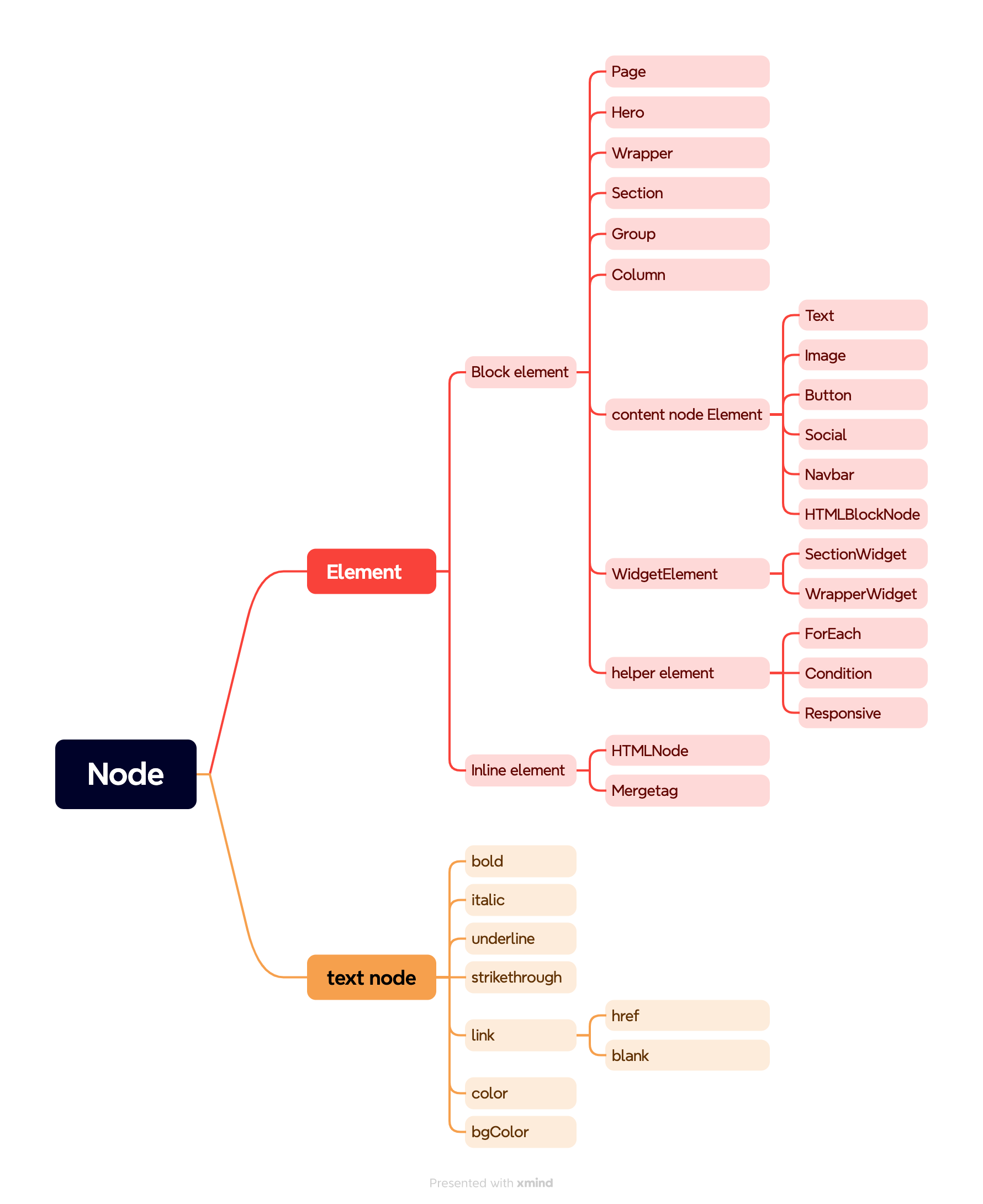
The email template is structured as a tree with three main node types:
- Page Node: The root node containing the entire document
- Element Nodes: Container nodes that structure the layout (sections, columns, blocks)
- Text Nodes: Leaf nodes containing the actual text content
These three interfaces combine to form a tree structure—just like the DOM. The tree starts with a Page node, which contains Element nodes, which can contain other Element nodes or Text nodes.
Document Structure
Here's how a simple email template is structured:
{
  "subject": "Simple demo",
  "content": {
    "data": {
      "breakpoint": "480px"
    },
    "type": "page",
    "attributes": {
      "width": "600px",
      "background-color": "#f3f2f2",
      "content-background-color": "#FFFFFF"
    },
    "children": [
      {
        "type": "standard-section",
        "data": {},
        "attributes": {
          "padding-top": "25px",
          "padding-bottom": "25px",
          "padding-left": "0px",
          "padding-right": "0px"
        },
        "mobileAttributes": {
          "padding-top": "10px",
          "padding-bottom": "10px",
          "padding-left": "0px",
          "padding-right": "0px"
        },
        "children": [
          {
            "type": "standard-column",
            "data": {},
            "attributes": {},
            "children": [
              {
                "name": "Text",
                "type": "standard-h1",
                "data": {},
                "attributes": {
                  "color": "#9ec5f7"
                },
                "children": [
                  {
                    "text": "Time for A Vacation"
                  }
                ]
              }
            ]
          }
        ]
      }
    ]
  }
}